Design with precision
Type the dimension you mean. Walls take exact feet-and-inches or metric values, so the plan you hand over measures what it says.
Outcome — fewer “is that to scale?” conversations.
Floor plan software for residential designers
Exact walls, hosted doors and windows, room areas and title-blocked sheets — in your browser. A precise drafting workspace for independent designers, drafters, builders, and anyone bringing a home to life.
Runs in the browser. Nothing to install. Already have an account? Log in or open your workspace.
Why Planform
Type the dimension you mean. Walls take exact feet-and-inches or metric values, so the plan you hand over measures what it says.
Outcome — fewer “is that to scale?” conversations.
Openings ride with their walls and room areas recalculate from geometry. Move a partition and the plan updates around it.
Outcome — client changes stop meaning redraws.
Furnish rooms to explore the layout, then place plans on title-blocked sheets and export PDF.
Outcome — a set that looks like your studio made it.
The workspace
From the first wall to a finished sheet, in one workspace that keeps the process simple.
Real screens
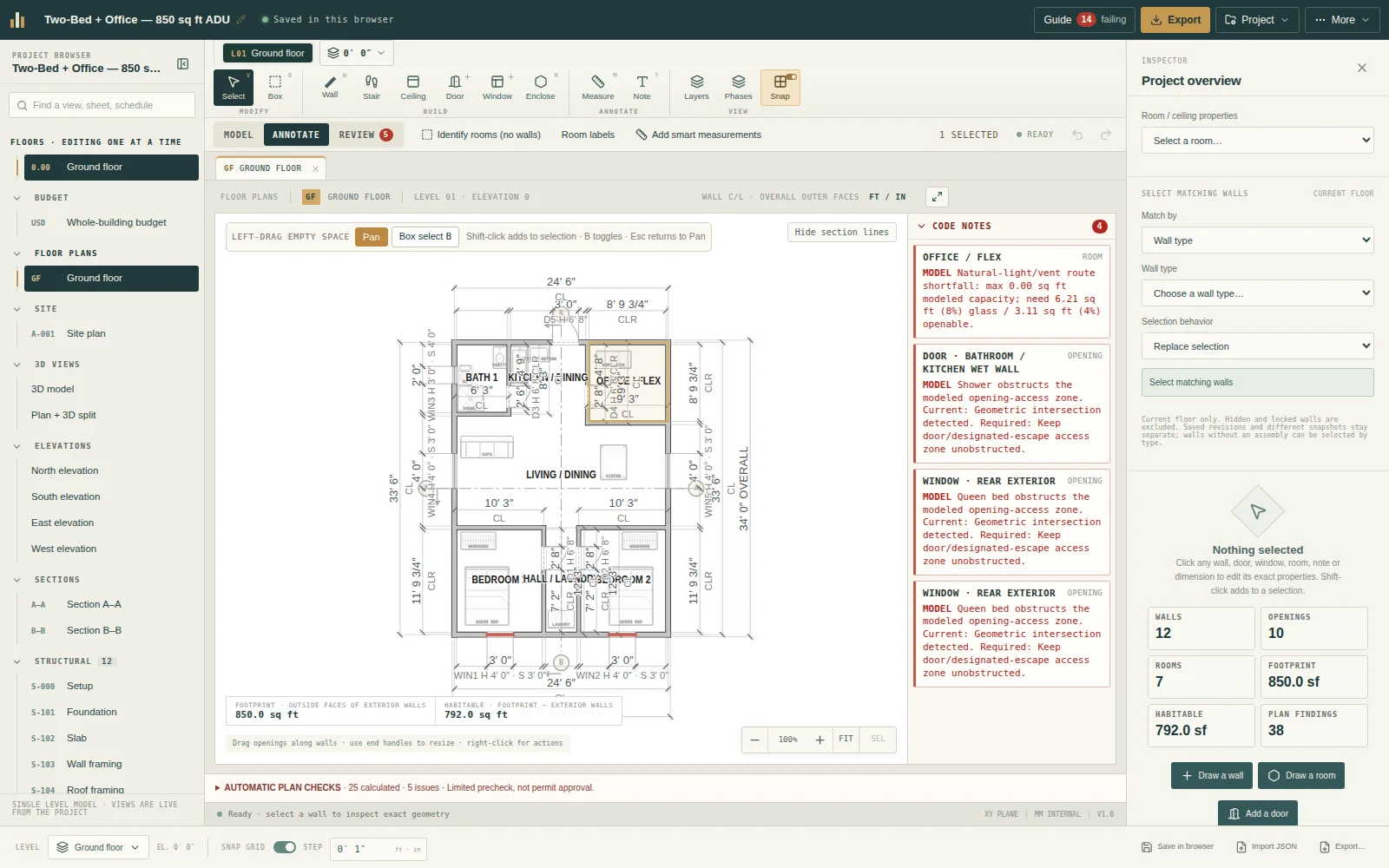
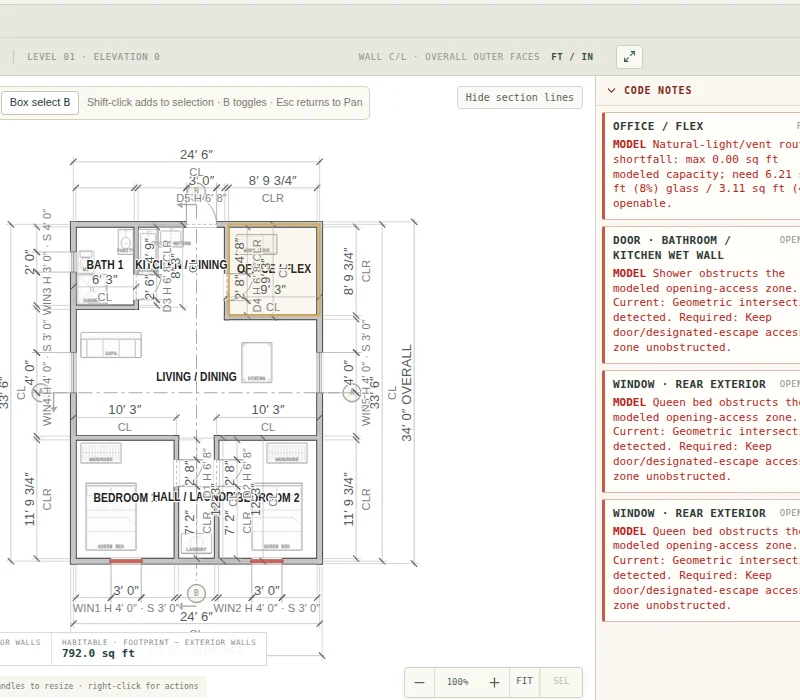
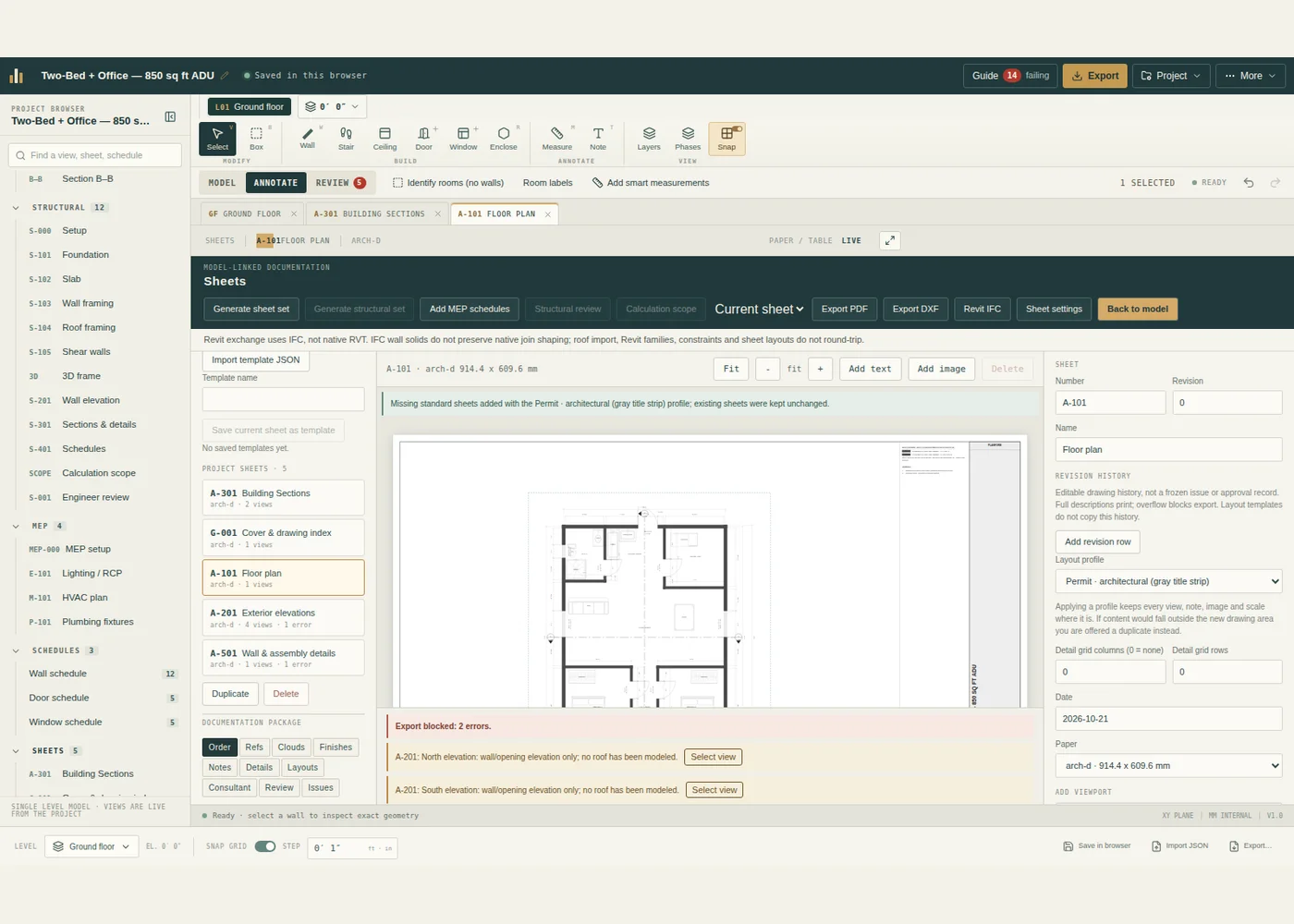
Every image below is a browser capture of Planform running a synthetic sample project. Nothing is retouched; warnings the editor showed are left in. Select any image for full size. Captured from a synthetic sample, not a client project.
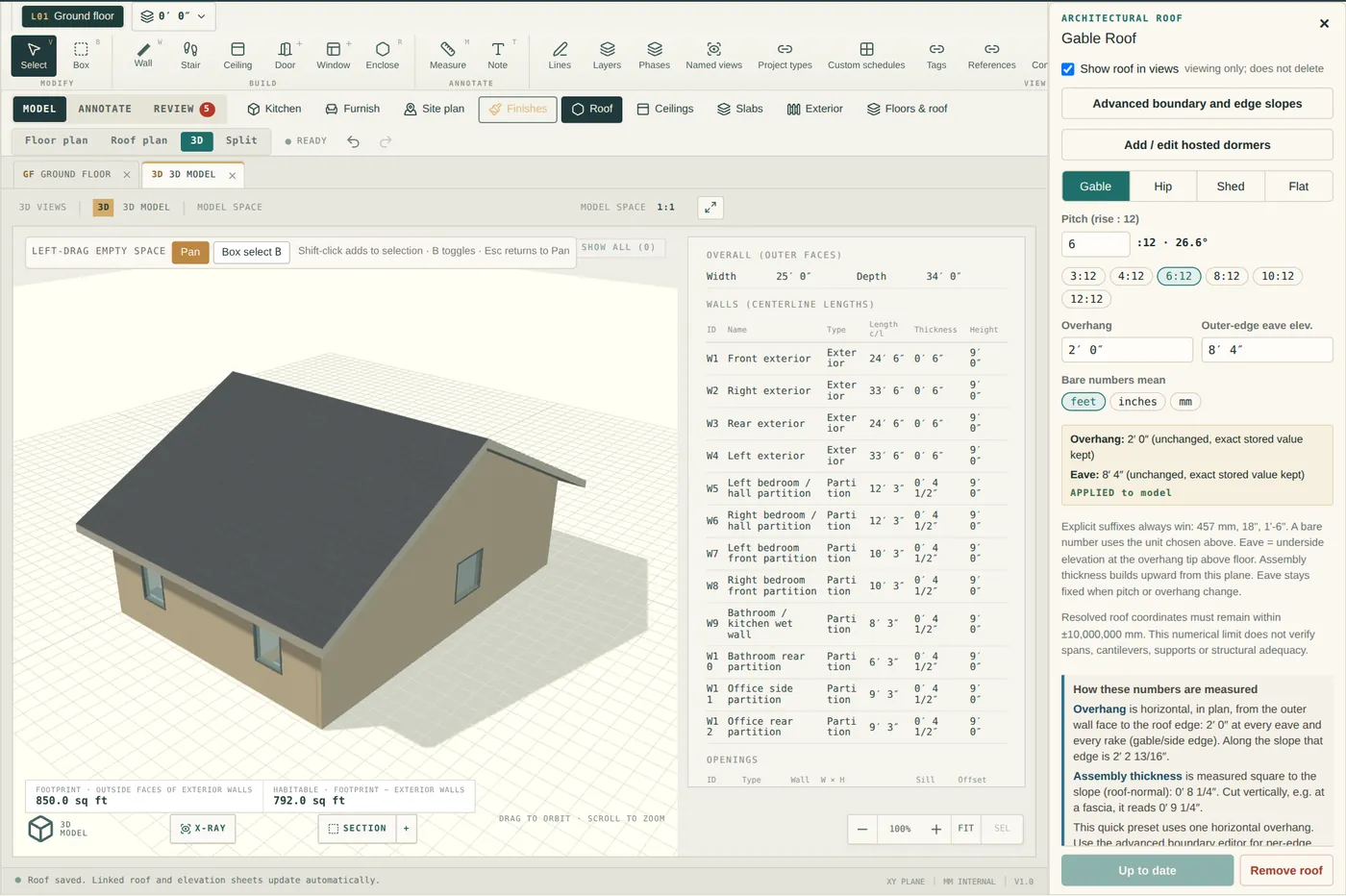
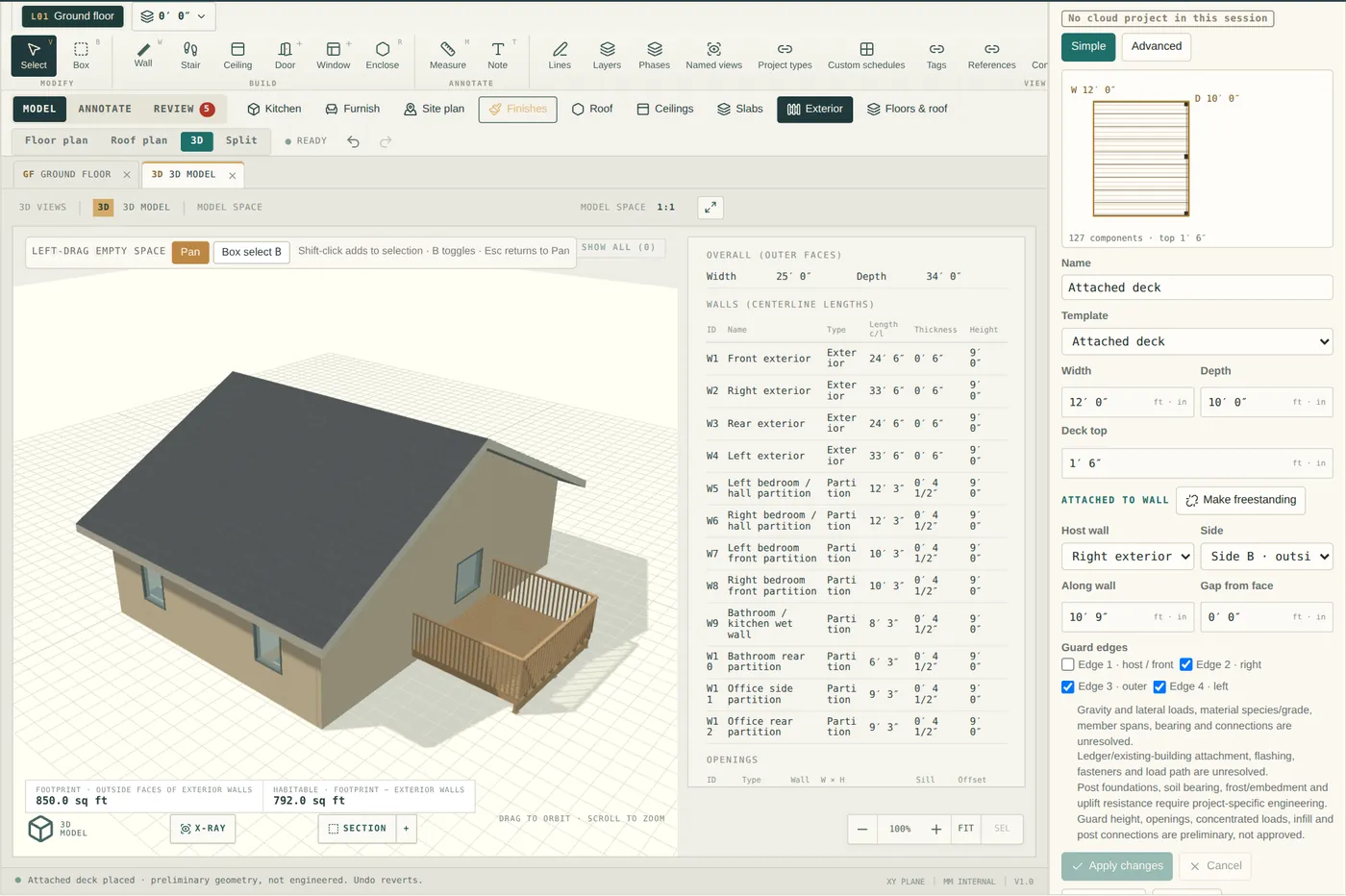
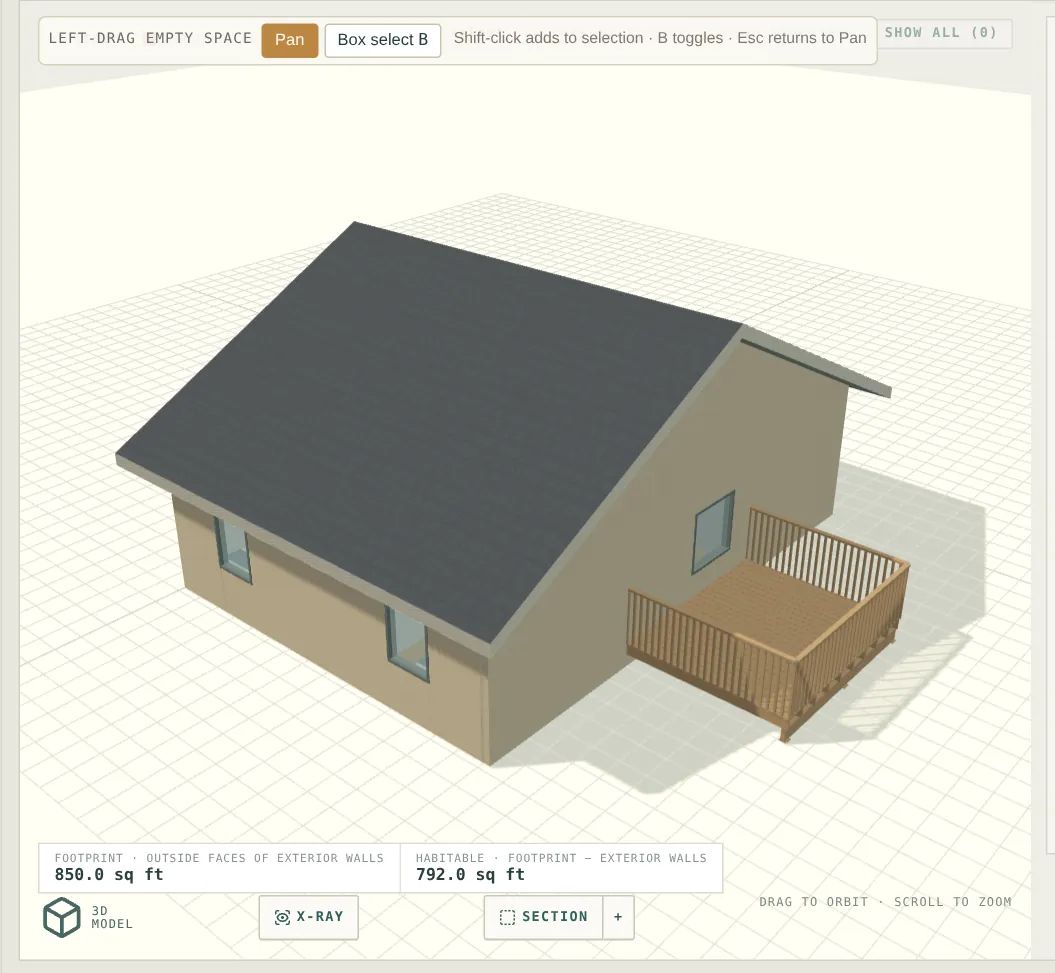
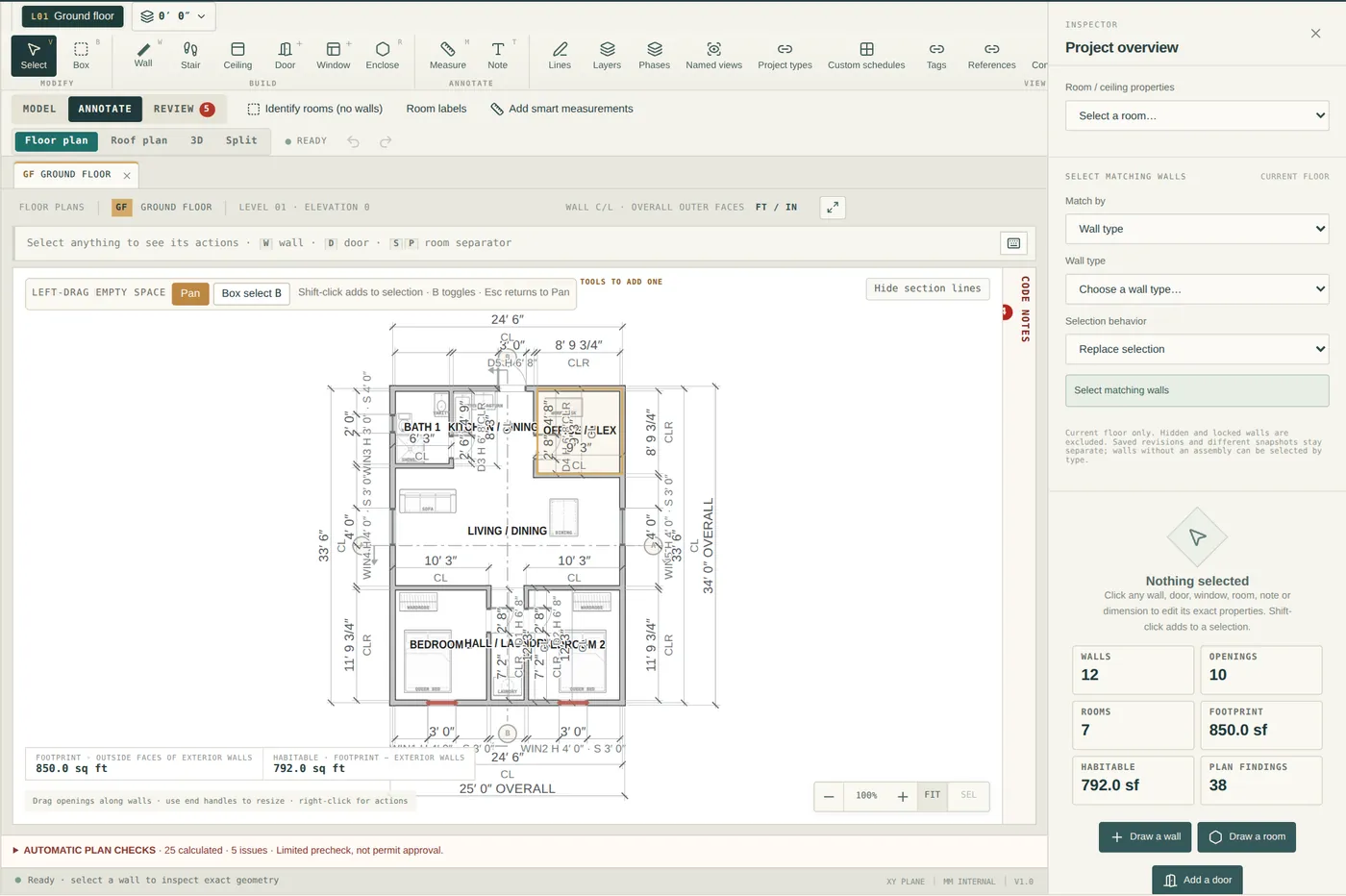
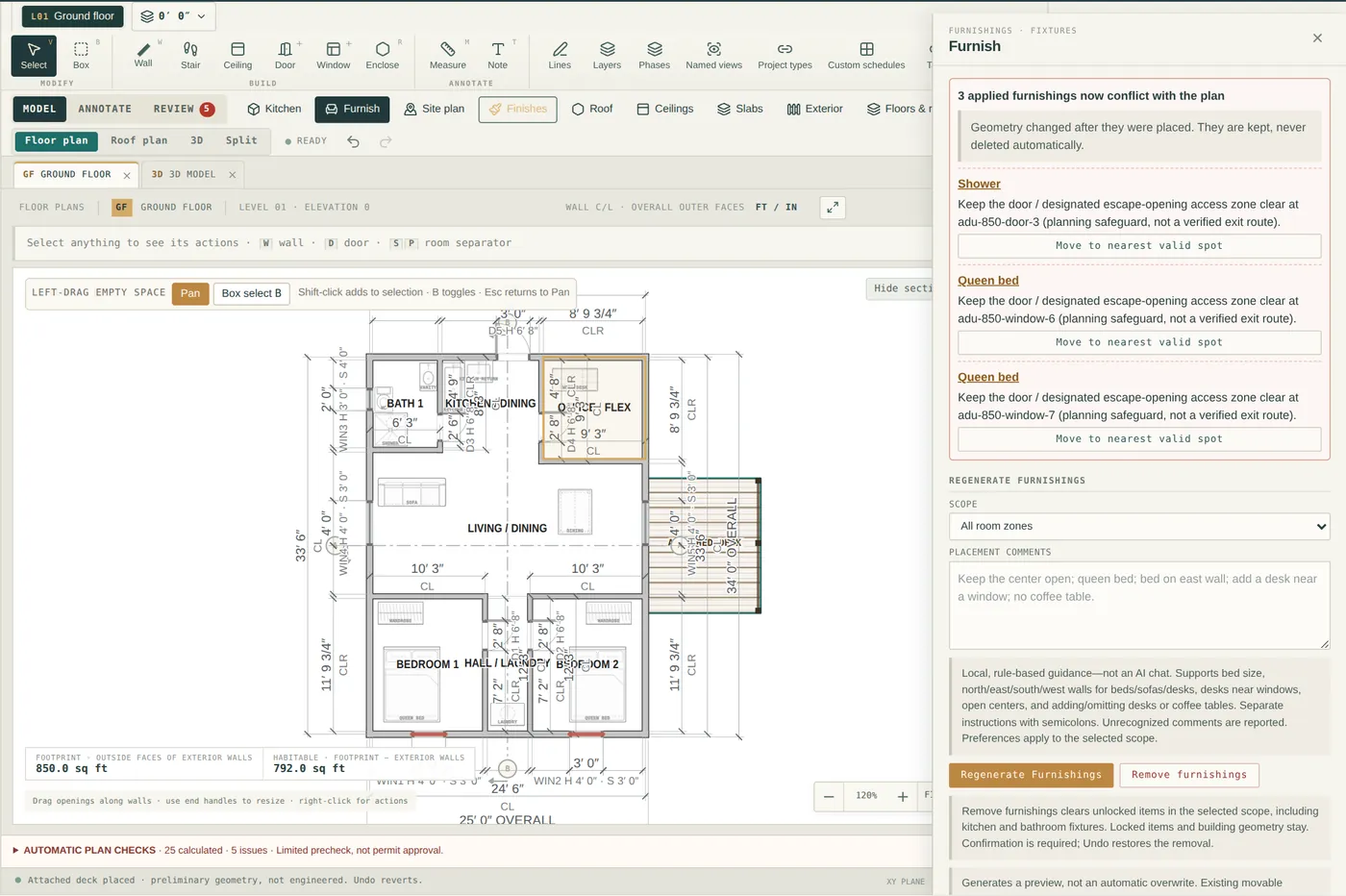
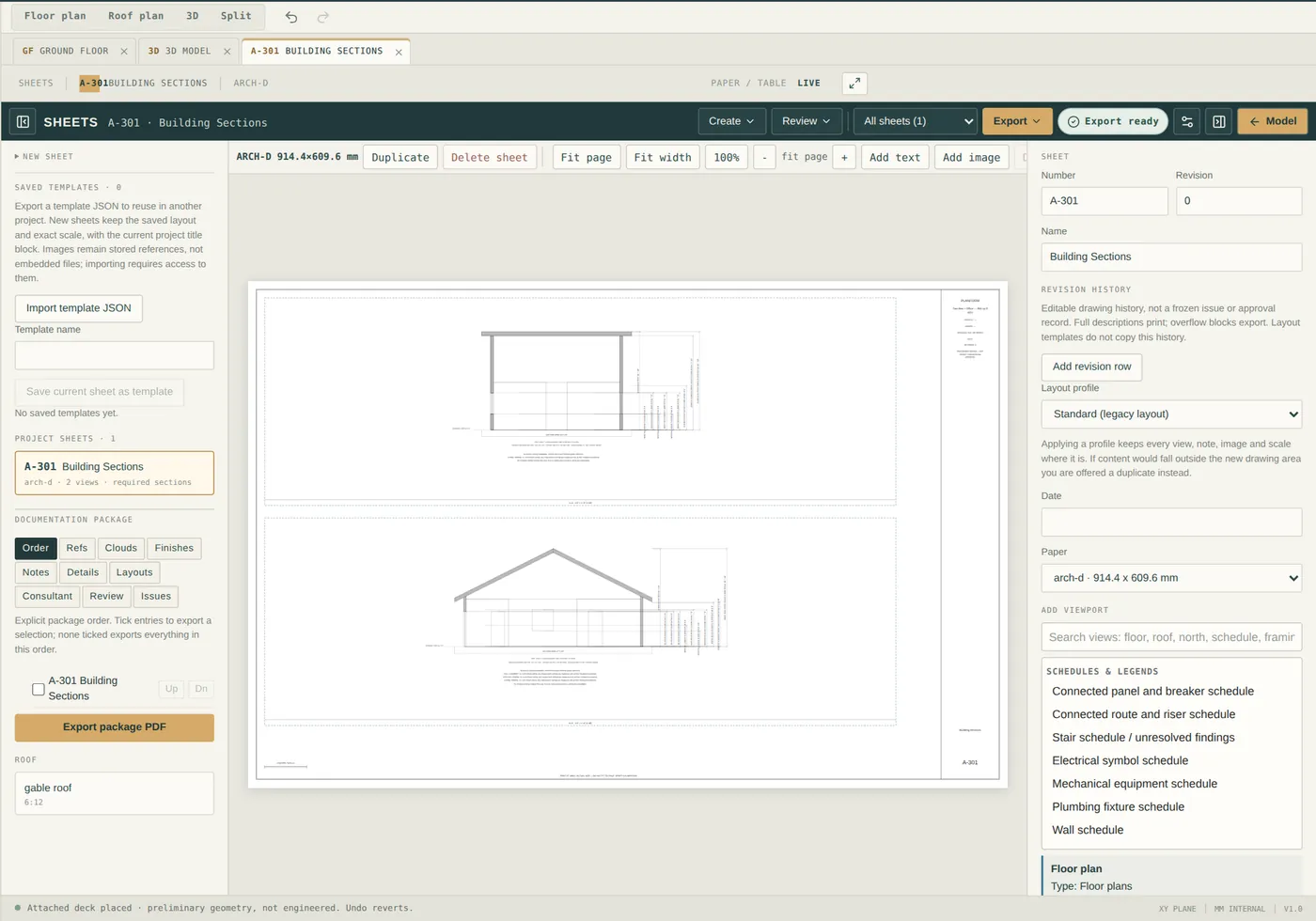
Images marked Advanced — the roof builder, decks and exterior assemblies, and the sheet editor — show tools from the full editor. Every signed-in user can choose Advanced in Preferences; Simple keeps the essential tools in view. Changing modes preserves your project. 2D plans, furnishings and the 3D view itself are shown with the sample content in place. Roof and deck geometry is architectural and preliminary: it does not check spans, loads or code compliance.
Who it’s for
Primary
Less drafting friction. More design work.
Remodels, ADUs, additions and small homes, drawn to dimension and issued on your own title block — without a BIM learning curve standing between you and the next client.
Start DesigningHelp clients see the possibilities.
Show a homeowner a clear, dimensioned layout before the conversation turns to cost.
Plan spaces with confidence.
Test furniture, openings and circulation at true scale.
Start with an idea. See what it could become.
Sketch the remodel properly before you call anyone.
Project types
Make every square foot count, with areas on every room.
ADU · 400–1,000 SFTest a new arrangement before committing to a direction.
Remodel · InteriorSee how new space connects to the existing layout.
AdditionRework a fixed shell into livable rooms.
ConversionTurn an initial concept into a clear spatial plan.
New constructionFeatures
Type a length in feet-and-inches or millimetres and the wall lands there. Corners join cleanly, so the plan stays a plan instead of a pile of lines.
Endpoints, grid and alignments catch the cursor so a layout stays square without nudging.
Doors and windows live inside their wall. Move the wall and the openings travel with it.
Enclose a space and Planform labels it with its square footage, so every revision answers the client’s first question.
Place beds, tables and fixtures to prove a room actually works at scale.
Every project lives in your own workspace. Close the tab; it is there tomorrow.
Set your title block once. Lay plans onto sheets and export PDF for clients, consultants and your own records.
How it works
Create an account and open a new project in your personal workspace.
Add walls, doors, windows and rooms. Adjust any dimension as the idea evolves.
Furnish, check room areas, then export title-blocked sheets as PDF or SVG.
The difference
You shouldn’t need an enterprise workflow to explore a residential floor plan.
Getting started
Create an account, open your workspace, and draw the first wall in a couple of minutes.
FAQ
Independent residential designers and drafters first — people producing floor plans for remodels, ADUs, additions and small homes. Builders, interior designers and homeowners are welcome in the same workspace.
No. You draw walls, place doors and windows, and label rooms. If you already know CAD, the exact dimension entry and snapping will feel familiar rather than foreign.
Yes. Walls accept exact imperial or metric dimensions, snapping keeps geometry aligned, and room areas are calculated from the drawn geometry.
Yes. There is nothing to install. Sign up and your projects are saved to your personal workspace. Drafting is most comfortable on a desktop or laptop with a mouse.
You can lay out title-blocked sheets and export them as PDF, or export a plan as SVG, then send those files however you normally do.
Absolutely. It is a precise tool, but an approachable one — useful for testing a remodel idea before talking to a professional.
Planform helps you draw clear, dimensioned plans. It does not certify code compliance, stamp drawings, or provide engineering. Permit submittals typically require jurisdiction-specific review and may require a licensed professional — confirm requirements with your local building department.
Less friction, more drawing. Open your workspace and bring the next residential project to life.
Start Designing